Visual bugs are often the last issues teams detect and the first that users notice.
Visual testing tools, often referred to as visual comparison tools, help teams automatically detect visual changes and UI regressions by comparing screenshots or DOM snapshots across different builds.
Overview
Top Visual Testing Tools in 2025:
- Percy: AI-powered visual testing for web with automated cross-browser screenshots and integrated CI/CD support.
- Storybook: Component-driven open-source tool that enables isolated UI development and visual regression testing.
- Cypress: End-to-end testing framework with real-time execution and plugin-based visual testing.
- Selenium: Widely-used browser automation tool extendable for visual testing via integrations like Applitools Eyes.
- Capybara: Ruby test framework extendable for visual testing, mainly for Rails web applications.
- Puppeteer: Node.js library for headless Chrome automation offering screenshot capture for visual testing.
- Playwright: Microsoft’s fast cross-browser testing framework with built-in visual comparison capabilities.
- Jest: JavaScript testing framework featuring snapshot testing for UI change detection.
- Appium: Open-source mobile automation tool for native, hybrid, and web apps across iOS and Android.
- TestCafe: Node.js end-to-end testing tool with built-in assertions and visual testing plugin support.
- CSSCritic: Open-source tool focused on CSS regression by comparing screenshots in CI pipelines.
- NightwatchJS: Node.js end-to-end testing framework using WebDriver for browser automation and visual tests.
- Wraith: BBC’s open-source screenshot comparison tool for detecting visual differences across screen sizes.
- PhantomCSS: JavaScript-based headless browser CSS regression tool generating visual reports.
- WebdriverIO: Modular Node.js WebDriver framework with plugins for cross-browser visual regression.
- GreenOnion: Open-source web visual regression testing tool with CI/CD integration and screenshot comparison.
This article explores the best visual testing tools to help you catch UI regressions and maintain visual consistency across your applications.
What are Visual Testing Tools?
Visual testing tools are specialized software solutions designed to detect visual differences in user interfaces. Unlike functional tests, which check how an application behaves, visual tests focus on how the UI looks, catching issues like misaligned elements, font changes, broken layouts, or unexpected color shifts.
These tools work by taking screenshots or rendering UI components and then comparing them pixel by pixel (or through DOM snapshots) across different builds, browsers, or devices. This process helps teams identify unintended visual changes early in the development cycle.
Also known as visual comparison tools, they are essential for maintaining a consistent and polished user experience, especially in modern applications with frequent UI updates.
Key Features of Visual Testing Tools
Modern visual testing tools offer advanced capabilities to detect UI changes accurately and efficiently. Here are the key features to look for:
- Automated Screenshot Capture: Takes consistent screenshots across browsers, devices, and viewports during test execution.
- Baseline Comparison: Compares latest UI screenshots against stored baselines to detect visual deviations.
- Smart Visual Diffing: Highlights meaningful UI changes while intelligently ignoring noise like anti-aliasing, minor pixel shifts, or dynamic content.
- Cross-Browser & Cross-Device Testing: Validates UI appearance across multiple operating systems, browsers, and real mobile devices.
- Dynamic Content Handling: Allows masking or ignoring unstable elements such as ads, timestamps, animations, or API-based content updates.
- CI/CD Integration: Runs visual checks in pipelines on every commit or pull request for early defect detection.
- Review & Collaboration Dashboard: Offers visual reports for easy review, approval, and tracking of UI changes across teams.
- Version Control for Baselines: Maintains history of UI updates and allows controlled baseline updates when intentional changes are made.
- Component-Level Testing: Supports pixel-perfect testing of individual UI components and Storybook-based workflows.
- AI-Assisted Detection: Uses machine learning to reduce false positives and focus only on changes that impact real user experience.
Top 16 Visual Testing Tools in 2025
Here are the some of the best Visual Testing tools available:
1. Percy by BrowserStack
Percy by BrowserStack is an AI-driven visual testing solution that automates visual regression checks for web apps, ensuring every UI change looks correct with each code update.
Built to fit smoothly into modern CI/CD workflows, Percy detects unexpected layout changes, styling issues, and content inconsistencies using advanced visual intelligence. It minimizes false alarms and speeds up approvals, enabling faster, high-confidence releases.
- Effortless Visual Regression Testing: Integrates into CI/CD pipelines in seconds and works alongside functional tests, Storybook, and Figma, enabling true shift-left visual testing.
- Automated Visual Regression: Automatically captures screenshots on each commit, compares them with stored baselines, and flags issues like style breaks, layout changes, and UI defects.
- Visual AI Engine: Uses intelligent visual algorithms to filter out noise from animations, banners, and anti-aliasing quirks. Smart capabilities like Intelli-ignore and OCR focus only on meaningful UI differences, dramatically reducing false positives.
- Visual Review Agent: Highlights significant UI changes, adds concise visual notes, and speeds up review cycles by up to 3x with streamlined approval workflows.
- No-Code Visual Monitoring: The Visual Scanner enables instant setup to monitor thousands of pages across 3500+ real browsers/devices, with options to mask dynamic regions and compare staging vs production.
- Flexible and Comprehensive Monitoring: Run scans on demand or on schedule, track visual history, and test authenticated or local environments for early detection before release.
- Broad Integrations: Works with major dev frameworks, CI systems, and SDKs for quick onboarding and seamless scalability.
App Percy extends BrowserStack’s visual testing capabilities to native iOS and Android apps, running tests on real devices to ensure visual accuracy across screens, OS versions, and resolutions. AI-based smart comparison minimizes flaky failures and unstable differences.
With one-line setup, App Percy supports Appium, WebdriverIO, Java, Python, and more. It scales tests in parallel for faster builds and provides a unified dashboard with screenshots, logs, videos, and enterprise-grade data security.
Pricing
- Free Plan: Up to 5,000 screenshots/month; ideal for trials and small workflows
- Paid Plans: Start at $199/month, with enterprise options available
2. Storybook
Storybook is an open-source tool that helps developers build and test UI components in isolation. While primarily a component development environment, it also offers visual testing capabilities to ensure components look and behave as expected.
Read More: How to perform Storybook Visual Testing?
Features:
- Component Isolation: Allows developers to build and test UI components in isolation.
- Visual Testing Add-ons: Supports visual regression testing through add-ons and plugins.
- Interactive UI: Provides an interactive interface for testing component states.
Platform:
Web-based, integrates with various testing tools and frameworks, and supports multiple front-end technologies.
Benefits:
- Component Focused: Ensures individual UI components are visually consistent.
- Interactive Testing: Provides an interactive environment for thorough testing.
- Community Support: Backed by a strong community and extensive documentation.
3. Cypress
Cypress is a powerful end-to-end testing framework known for its speed and reliability. It provides an intuitive interface for writing tests and includes visual testing capabilities through plugins.
Features:
- Real-Time Testing: Executes tests in real-time with immediate feedback.
- Visual Testing Plugins: Supports visual testing with plugins like “cypress-image-snapshot”.
- Debugging Tools: Provides advanced debugging and error-tracking features.
Platform:
Web-based, supports modern web applications, and integrates with CI/CD tools.
Benefits:
- Fast Execution: Provides quick feedback with real-time browser interaction.
- Comprehensive Testing: Combines functional and visual testing in one framework.
- Enhanced Debugging: Offers detailed insights and debugging capabilities.
4. Selenium
Selenium is a widely-used open-source tool for automating web browsers. While primarily used for functional testing, it can also be extended for visual testing with additional tools and libraries.
Features:
- Browser Automation: Supports automation across multiple browsers.
- Extensible: Can be extended for visual testing using tools like Applitools Eyes.
- Cross-Platform: Works on various operating systems and browsers.
Platform:
Supports multiple platforms including Windows, macOS, and Linux.
Benefits:
- Versatility: Supports a wide range of browsers and programming languages.
- Integration: Easily integrates with various development and testing tools.
- Community Support: Backed by a large community and extensive documentation.
5. Capybara
Capybara is a test automation framework for web applications, written in Ruby. It is commonly used with Rails applications and supports visual testing through additional tools.
Features:
- DSL for Tests: Provides a domain-specific language for writing tests.
- Integration: Works seamlessly with Ruby on Rails and RSpec.
- Visual Testing: Can be extended with tools like Applitools for visual testing.
Platform:
Ruby-based, primarily used for testing web applications.
Benefits:
- Readable Tests: Allows writing readable and maintainable test scripts.
- Rails Compatibility: Designed to work well with Rails applications.
- Extensibility: Can be extended for visual regression testing.
6. Puppeteer
Puppeteer is a Node.js library that provides a high-level API to control Chrome or Chromium. It can be used for web scraping, automated testing, and visual testing.
Features:
- Headless Browser: Operates in headless mode for fast execution.
- Screenshot Capture: Captures screenshots for visual testing.
- PDF Generation: Can generate PDFs from web pages.
Platform:
Node.js, supports headless Chrome/Chromium.
Benefits:
- Fast and Reliable: Provides fast and reliable browser automation.
- Comprehensive API: Offers a comprehensive API for various browser operations.
- Integration: Easily integrates with other Node.js tools and libraries.
Read More: How to Perform Visual Regression Puppeteer
7. Playwright
Playwright is a newer automation framework by Microsoft, designed to be reliable and fast. It supports multiple browsers and provides features for both functional and visual testing.
Features:
- Cross-Browser Testing: Supports Chromium, Firefox, and WebKit.
- Visual Comparisons: Includes tools for capturing and comparing screenshots.
- Headless Mode: Supports headless browser testing.
Platform:
Node.js, supports multiple browsers and operating systems.
Benefits:
- Multi-Browser Support: Allows testing across different browsers with a single API.
- Reliable and Fast: Designed for reliability and speed.
- Integrated Visual Testing: Includes built-in support for visual comparisons.
8. Jest
Jest is a JavaScript testing framework developed by Facebook, known for its simplicity and powerful features. It is commonly used for testing React applications and includes capabilities for visual snapshot testing.
Features:
- Snapshot Testing: Captures and compares snapshots to detect UI changes.
- Zero Configuration: Works out of the box with minimal setup.
- Mocking: Provides powerful mocking capabilities.
Platform:
JavaScript, primarily used with React and other JavaScript frameworks.
Benefits:
- Simple Setup: Easy to set up and use.
- Snapshot Testing: Automatically detects changes in UI components.
- Rich Ecosystem: Part of a rich ecosystem with plugins and extensions.
Read More: Snapshot Testing with Jest
9. Appium
Appium is an open-source tool for automating mobile applications. It supports native, hybrid, and mobile web applications across iOS and Android.
Features:
- Cross-Platform: Supports multiple mobile platforms.
- Language Agnostic: Allows writing tests in various programming languages.
- Integration: Works with tools like Selenium for web testing.
Platform:
Supports iOS and Android, integrates with various testing frameworks.
Benefits:
- Versatility: Automates different types of mobile applications.
- Flexibility: Supports a wide range of programming languages.
- Community Support: Backed by a strong community and extensive documentation.
10. TestCafe
TestCafe is a Node.js tool for end-to-end testing of web applications. It is easy to set up and use, and includes features for visual testing through plugins.
Features:
- No Dependencies: Works without the need for browser plugins or WebDriver.
- Built-In Assertions: Includes built-in assertions for test validations.
- Visual Testing Plugins: Supports visual testing with plugins.
Platform:
Node.js, supports multiple browsers and operating systems.
Benefits:
- Ease of Use: Simple setup with no browser plugins required.
- Built-In Assertions: Provides built-in assertion capabilities.
- Cross-Browser Support: Tests can be run across different browsers.
11. CSSCritic
CSSCritic is an open-source tool for regression testing of CSS. It compares screenshots to detect unintended visual changes in web applications.
Features:
- Visual Regression Testing: Compares screenshots to detect CSS regressions.
- Integration: Integrates with various CI/CD tools.
- Simple Setup: Easy to set up and use.
Platform:
Web-based, supports integration with CI/CD pipelines.
Benefits:
- Focus on CSS: Specifically designed for CSS regression testing.
- Early Detection: Catches unintended visual changes early.
- CI/CD Integration: Works well with continuous integration and delivery pipelines.
12. NightwatchJS
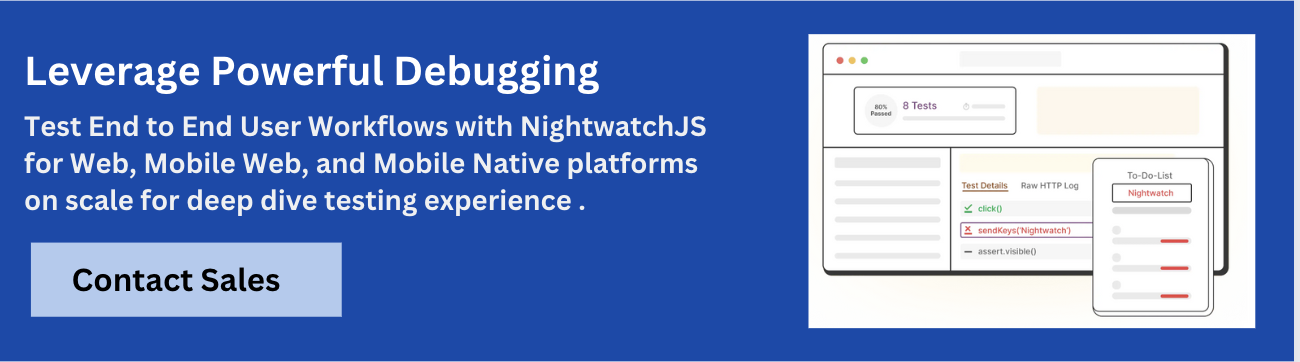
NightwatchJS is an automated testing framework for web applications and websites, written in Node.js. It uses the W3C WebDriver API to perform browser automation.
Features:
- End-to-End Testing: Provides a framework for writing end-to-end tests.
- Browser Automation: Utilizes WebDriver for browser automation.
- Simple Syntax: Offers a straightforward syntax for writing tests.
Platform:
Node.js, supports various browsers through WebDriver.
Benefits:
- Simplicity: Easy to write and maintain tests with simple syntax.
- Comprehensive: Suitable for end-to-end testing of web applications.
- Community Support: Backed by a supportive community and documentation.
13. Wraith
Wraith is an open-source screenshot comparison tool by BBC News. It is used to identify visual differences between web pages.
Features:
- Screenshot Comparison: Captures and compares screenshots of web pages.
- Flexible Configuration: Allows configuration for different screen sizes and settings.
- Reporting: Generates visual reports highlighting differences.
Platform:
Ruby-based, supports various browsers.
Benefits:
- Visual Regression Testing: Identifies visual changes between web page versions.
- Customizable: Highly configurable for different testing needs.
- Open Source: Free to use and modify.
14. PhantomCSS
PhantomCSS is a CSS regression testing tool that captures screenshots of web pages and compares them to baseline images. It uses CasperJS and PhantomJS for automation.
Features:
- Visual Regression Testing: Captures and compares screenshots to detect CSS changes.
- Automation: Uses PhantomJS and CasperJS for headless browser automation.
- Reporting: Provides visual reports of detected differences.
Platform:
JavaScript-based, uses PhantomJS for headless browser automation.
Benefits:
- Headless Testing: Performs tests in a headless browser environment.
- Detailed Reports: Generates visual reports highlighting CSS regressions.
- Open Source: Free and open for customization.
15. WebdriverIO
WebdriverIO is a next-gen WebDriver test framework for Node.js. It allows for cross-browser testing and includes features for visual regression testing through plugins.
Features:
- Cross-Browser Testing: Supports various browsers through WebDriver.
- Visual Testing Plugins: Integrates with plugins like
wdio-visual-regression-service. - Modular Architecture: Highly modular and extensible with plugins.
Platform:
Node.js, supports multiple browsers and platforms.
Benefits:
- Versatile: Suitable for various types of web application testing.
- Modular: Easily extendable with a rich plugin ecosystem.
- Cross-Browser Support: Tests can be executed across different browsers.
16. GreenOnion
GreenOnion is an open-source visual regression testing tool that compares screenshots of web pages to detect visual changes.
Features:
- Screenshot Comparison: Captures and compares screenshots to identify visual differences.
- Automated Testing: Integrates with CI/CD pipelines for automated visual testing.
- Reporting: Generates visual reports of detected changes.
Platform:
Web-based, integrates with various CI/CD tools.
Benefits:
- Early Detection: Catches visual regressions early in the development process.
- Automation: Integrates with CI/CD pipelines for continuous testing.
- Open Source: Free to use and modify.
Benefits of Visual Comparison Tools
Visual comparison tools offer a range of advantages that go beyond traditional functional testing. They help teams deliver visually consistent, polished user experiences with greater confidence and efficiency.
- Catch UI Regressions Early: Detect unexpected visual changes before they reach production, such as layout shifts, missing elements, or style inconsistencies.
- Improve Release Confidence: With automated visual checks in place, teams can deploy more frequently without worrying about breaking the UI.
- Reduce Manual Effort: Eliminate the need for time-consuming manual visual reviews by automating screenshot comparisons across builds.
- Enhance Cross-Browser Consistency: Identify visual discrepancies across different browsers, screen sizes, and devices to ensure a uniform experience for all users.
- Facilitate Collaboration: Enable designers, developers, and QA teams to review visual changes together through shared visual diffs and approval workflows.
- Speed Up Testing Cycles: By integrating into CI/CD pipelines, visual tests run automatically, reducing bottlenecks and accelerating development.
- Document UI Changes: Maintain a visual history of how your product evolves over time, which is useful for audits, redesigns, and stakeholder communication.
Visual comparison tools ultimately bring clarity and control to UI development, making them an essential part of modern testing strategies.
How to Choose the Right Visual Comparison Tool
With a wide range of visual comparison tools available, selecting the right one depends on your team’s workflow, tech stack, and testing needs. Here are key factors to consider when evaluating your options:
- Platform Compatibility: Ensure the tool supports the platforms you build for, whether it’s web, mobile, or both. Tools like Percy and Appium cater to different environments.
- Integration with CI/CD: Look for tools that easily integrate with your CI/CD pipelines (e.g., GitHub Actions, Jenkins, GitLab). This helps automate visual testing during every build or pull request.
- Ease of Setup and Use: Some tools are plug-and-play, while others require custom configuration. Choose a tool that fits your team’s technical skill level and workflow.
- Cross-Browser and Cross-Device Support: If you need to test across multiple browsers and devices, prioritize tools like Playwright, Cypress (with plugins), or BrowserStack Percy that offer wide compatibility.
- Component vs. End-to-End Testing: Decide whether you need visual testing at the component level (e.g., Storybook for design systems) or full-page end-to-end testing (e.g., Selenium).
- Collaboration and Review Features: Tools like Percy offer visual diffs with side-by-side comparisons and team review workflows, ideal for design and development collaboration.
- Open Source vs. Commercial: Open-source tools may offer flexibility and cost savings, but commercial tools often come with better support, dashboards, and scalability.
- Performance and Speed: Evaluate how quickly the tool runs visual tests, especially in large projects. Cloud-based tools often optimize for speed and parallelization.
By weighing these factors against your team’s priorities, such as speed, accuracy, collaboration, or budget, you can confidently choose a visual comparison tool that fits both your product and your process.
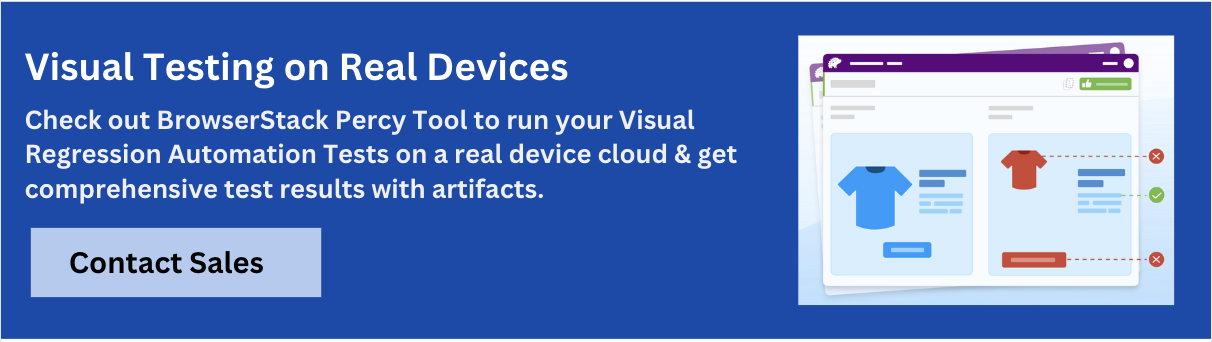
Why BrowserStack Percy is the Best Visual Testing Tool?
Percy stands out for its AI-powered accuracy, seamless CI/CD integration, and ability to scale visual testing across web and mobile environments. It eliminates false positives, accelerates reviews, and ensures every UI change ships with confidence.
Why teams choose Percy
- CI/CD-native setup: Add one line of code and start catching visual bugs instantly.
- AI-driven precision: Focuses on meaningful UI changes, ignoring visual noise.
- Fast, guided reviews: Clear visual highlights and human-readable summaries speed approvals.
- Scales to any product: Works across browsers, devices, frameworks, and mobile apps.
- No-code monitoring: Scan and monitor thousands of pages automatically.
Read More: Strategies to Optimize Visual Testing
Conclusion
As user interfaces become more dynamic and visually complex, traditional testing methods alone are no longer enough. Visual comparison tools are crucial to identifying design regressions, ensuring cross-browser consistency, and maintaining a polished, reliable user experience.
Whether you’re part of a small startup or a large enterprise team, choosing the right tool, from lightweight open-source options to full-featured commercial platforms like BrowserStack Percy, can dramatically improve the speed, accuracy, and confidence of your release process.
By integrating visual testing into your workflow, you’re not just preventing visual bugs but investing in better design quality, smoother collaboration, and a more resilient product.
Useful Resources for Visual Testing
- How to capture Lazy Loading Images for Visual Regression Testing in Cypress
- How to Perform Visual Testing for Components in Cypress
- How to run your first Visual Test with Cypress
- How Visual Diff Algorithm improves Visual Testing
- How is Visual Test Automation changing the Software Development Landscape?
- How does Visual Testing help Teams deploy faster?
- How to perform Visual Testing for React Apps
- How to Run Visual Tests with Selenium: Tutorial
- How to reduce False Positives in Visual Testing?
- How to capture Lazy Loading Images for Visual Regression Testing in Puppeteer
- How to migrate your Visual Testing Project to Percy CLI
- Why is Visual Testing Essential for Enterprises?
- Importance of Screenshot Stabilization in Visual Testing
- Strategies to Optimize Visual Testing
- Best Practices for Visual Testing
- Visual Testing Definitions You Should Know
- Visual Testing To Optimize eCommerce Conversions
- Automate Visual Tests on Browsers without Web Drivers
- Appium Visual Testing: The Essential Guide
 Featured Article


