

Modern web and mobile applications demand pixel-perfect user interfaces across browsers, devices, and screen sizes. AI in visual testing is emerging as a key enabler in meeting this challenge.
Overview
What is Visual Testing AI?
Visual Testing AI uses computer vision and machine learning to automatically detect UI changes by comparing screenshots against baseline images.
Why is it Important?
It eliminates slow, error-prone manual checks, reduces false positives, speeds up reviews, and ensures consistent UI across platforms—all within CI/CD workflows.
Top Visual Testing Tools
- BrowserStack Percy: Automates visual testing across browsers and devices with seamless CI/CD and test framework integration.
- App Percy: Extends Percy’s visual testing to iOS and Android apps within mobile CI/CD pipelines.
- Storybook: Enables isolated component development with built-in visual regression testing support.
- Cypress: End-to-end testing tool with plugin-based visual snapshot and diffing capabilities.
- Selenium: Browser automation framework extended for visual testing through integrations like Percy.
- Capybara: Ruby-based testing tool for visually validating UI changes in Rails applications.
- Puppeteer: Headless Chrome automation with screenshot capture for visual comparison.
- Playwright: Cross-browser automation framework that supports visual testing via Percy integration.
This article will explore how AI enhances these tools, transforming visual testing into a scalable, intelligent process that helps teams catch more bugs with less effort, while keeping UIs flawless across all platforms.
The distinction between Computer Vision & Visual AI
Computer vision involves training a machine to process visual information in a way similar to human sight. Human sight involves using retinas, optic nerves, and the visual cortex to give context to images, such as whether a car is moving or not.
Computer vision utilizes cameras, data, and algorithms to carry out the same function but in a more efficient manner. A machine can be trained to analyze thousands of images in a second in a more accurate manner than human vision.
Computer vision enables computers and systems to derive meaningful information from digital images, videos, and other visual inputs and take actions or make recommendations based on that information.
However, Computer vision is not the same as AI in Visual. Where artificial intelligence allows a computer to form thoughts, computer vision enables a computer to see and process visual information. Visual AI needs to be employed to visually analyze, learn from experience, and emulate human intelligence while processing visual information.
Applications of Computer Vision and AI in Visual Testing
AI and computer vision improve the accuracy and efficiency of visual testing by analyzing changes based on structure and context, not just raw pixels.
Key applications of AI and computer vision in visual testing include:
- Contextual Image Comparison: AI models detect visual differences by understanding layout and component structure, rather than simple pixel mismatches.
- False Positive Reduction: AI filters out minor, non-functional changes such as font rendering or anti-aliasing, reducing noise in test results.
- Dynamic Content Filtering: Elements like ads, animations, or user-specific content are identified and ignored to prevent inconsistent test failures.
- Automated Detection of Regressions: AI flags only significant UI changes, helping teams identify actual regressions without manually inspecting every snapshot.
- Responsive Design Handling: Computer vision adjusts for differences across viewports, devices, and screen sizes to ensure consistency across responsive layouts.
- Prioritized Result Review: Some tools use AI to group or prioritize detected differences, enabling teams to address high-impact visual bugs first.
How AI in Visual Testing is Revolutionizing the Testing Landscape
AI is changing how teams approach visual testing by improving accuracy, cutting review time, and reducing maintenance.
Key ways AI is transforming the visual testing landscape:
- Smarter Change Detection: AI models analyze page layout, structure, and visual hierarchy, identifying real regressions instead of flagging minor pixel shifts.
- Fewer False Positives: By learning which visual differences matter, AI reduces alerts caused by trivial changes like rendering differences or dynamic content.
- Scalability in Agile and CI/CD Workflows: AI enables fast, automated visual checks for every commit or deployment, supporting rapid release cycles without slowing down QA.
- Automated Visual Reviews: Tools like Percy apply AI to approve changes that match expected patterns automatically, so teams only review what’s truly new or unexpected.
- Better Test Maintenance: AI reduces the need for manual baseline updates by detecting intentional changes and learning visual patterns over time.
- More Reliable UI Regression Detection: Unlike pixel-by-pixel tools, AI-based systems can spot visual regressions even when the page structure changes slightly or responsively.
These advances allow developers and QA teams to catch UI issues earlier, ship faster, and maintain visual consistency across browsers and devices.
Also Read: Snapshot Testing with Jest
Snapshot Testing and Its Limitations
Snapshot testing is popularly utilized to test the cosmetics of an application. This testing is carried out in order to detect any visual changes in the application and ensure that visual regression has not occurred.
However, there are limitations to this method.
The essence of snapshot testing is that there are baseline snapshots against which the testing tool carries out comparisons, often at the pixel level. This leads to several false positives due to the following reasons:
- Anti-Aliasing is used to minimize the distortion of images. Rectangular pixels often create jagged edges which can be smoothed and rounded using anti-aliasing. The settings for anti-aliasing can be changed, and if snapshot testing is done on machines with differing settings for anti-aliasing all the snapshots being compared would be tagged as changed.

- Certain fields of an application are meant to change over time such as the number of items displayed in a bubble over the shopping cart icon, or recommendations advertised based on user preferences. These would also be flagged as changes when they should be ignored.
- Using different browsers can also lead to false positives as images and fonts can vary from browser to browser depending on the rendering engine used by the browser in question.
Due to the aforementioned reasons, snapshot testing is not very popular with QA test engineers since it leads to a large number of false positives to sift through manually.
While AI in Visual Testing has greatly advanced the visual regression testing landscape, there still remains a dire need for tools, which are able to use AI in Visual testing to carry out cosmetic testing with more sophisticated change detection.
Top Visual Testing Tools
Visual testing tools help teams detect UI regressions by comparing application screenshots over time.
Below are some of this space’s most widely used visual testing tools.
1. BrowserStack Percy
Percy is a leading visual testing solution that automates screenshot capture and visual diffing across browsers, screen sizes, and devices.
It integrates seamlessly with CI/CD pipelines and popular test frameworks like Selenium, Cypress, Playwright, and Storybook.
Key Features:
- Automated visual comparisons
- Responsive and cross-browser support
- Visual review dashboard with approval workflows
- Integrates with GitHub, GitLab, Bitbucket, Jenkins, CircleCI
Benefits: Early visual bug detection, simplified QA workflows, and fast collaboration across dev and design teams.
2. App Percy
A mobile extension of Percy, App Percy enables automated visual testing for iOS and Android apps. It supports real-device CI/CD workflows and helps teams maintain visual consistency across app versions.
Key Features:
- Mobile screenshots and diffing
- Baseline management
- CI/CD and mobile test framework integration
3. Storybook
Storybook is a development environment for UI components. Developers can isolate, test, and review components visually during development with visual testing tools like Percy.
Key Features:
- Component isolation
- Snapshot and visual regression testing
- Interactive UI for manual state testing
Read More: How to perform Storybook Visual Testing?
4. Cypress
Primarily an end-to-end testing framework, Cypress supports visual testing through plugins like cypress-image-snapshot and integrations with Percy.
Key Features:
- Real-time test execution
- Screenshot capture and diffing via plugins
- Fast debugging and error tracking
5. Selenium
Selenium is a browser automation tool that can be extended for visual testing by integrating with tools like Percy.
Key Features:
- Browser interaction automation
- Screenshot capture during test runs
- Cross-platform and multi-browser support
6. Capybara
Capybara is a Ruby-based test framework commonly used with Rails and supports visual regression testing.
Key Features:
- DSL for clean, readable tests
- Screenshot-based visual checks
- Tight integration with Rails and RSpec
7. Puppeteer
Puppeteer is a Node.js library for controlling Chrome/Chromium, enabling screenshot capture for visual comparison with external diffing tools.
Key Features:
- Headless browser control
- High-quality screenshot capture
- Multi-resolution testing
Read More: How to Perform Visual Regression Puppeteer
8. Playwright
Playwright supports end-to-end testing across Chromium, Firefox, and WebKit. When paired with Percy, it becomes a robust cross-browser visual regression testing option.
Key Features:
- Cross-browser and device emulation
- Screenshot and diffing support
- CI/CD integration for headless testing
AI Visual Testing with Percy
As visual testing evolves into an AI-first discipline, Percy by BrowserStack brings intelligence, automation, and reliability together to help teams maintain UI consistency at scale. Its AI-powered engine analyzes interfaces the way users do, focusing on meaningful change rather than pixel noise, which makes visual reviews faster, cleaner, and far more accurate.
How Percy Uses AI:
Percy’s visual testing capabilities are built around a deep AI layer designed to reduce false positives, accelerate review cycles, and highlight only the changes that matter.
- Effortless Visual Regression Testing: Integrates into CI/CD pipelines with a single line of code and works with functional tests, Storybook, and Figma for shift-left visual validation.
- Automated Visual Regression: Captures screenshots on every commit, compares them against baselines, and flags layout, style, or component-level regressions in side-by-side views.
- Visual AI Engine: Uses advanced algorithms and AI Agents to filter out visual noise created by animations, banners, anti-aliasing, and other unstable elements. Features such as Intelli Ignore and OCR focus on meaningful UI changes and significantly reduce false positives.
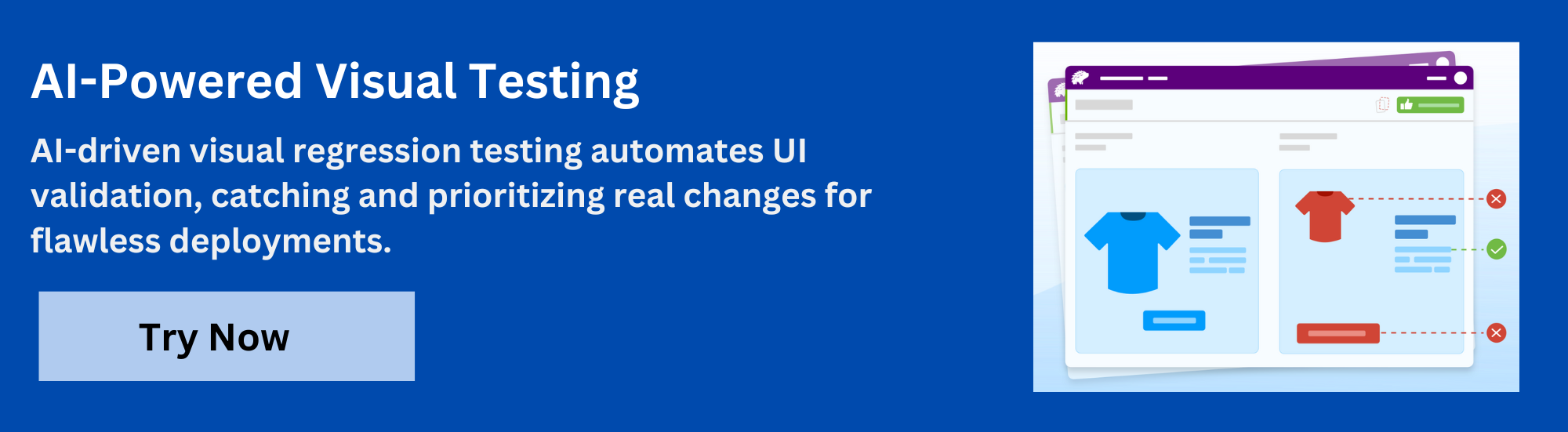
- Visual Review Agent: Highlights important changes with bounding boxes, generates clear summaries, and speeds up review workflows by up to 3x.
- No-Code Visual Monitoring: Visual Scanner can monitor thousands of URLs across more than 3500 browsers and devices with no setup. Teams can run scans on-demand or on a schedule, compare environments, and ignore dynamic regions when needed.
- Flexible and Comprehensive Monitoring: Supports hourly, daily, weekly, or monthly scans, offers historical insights, and enables comparisons across any environment. Works with local testing and authenticated pages and detects issues before release.
- Broad Integrations: Works with major frameworks and CI tools and provides SDKs for fast onboarding and smooth scaling.
Pricing Details-
- Free Plan: Up to 5,000 screenshots per month, suitable for getting started with visual testing.
- Paid Plan: Starting at 199 USD per month with advanced features and greater capacity.
Real-World Use Cases of Percy
Percy helps teams of all sizes improve UI reliability and reduce time spent on manual visual checks.
Common Use Cases:
- Component testing in design systems to catch pixel-level UI regressions.
- Cross-browser validation to ensure consistent rendering across environments.
- Responsive layout verification across screen sizes and devices.
- PR-level visual checks to flag unintended changes before merge.
Also Read: 6 Testing Tactics for Faster Release Cycles
These workflows help streamline QA, improve design alignment, and support faster, safer releases.
Conclusion
AI-driven visual testing is critical to delivering high-quality, visually consistent applications quickly. Tools like Percy make integrating visual checks into existing workflows easy, helping teams catch UI regressions early, reduce review time, and maintain design integrity across devices and browsers.
As development cycles accelerate, adopting AI-powered visual testing ensures your UI stays reliable, responsive, and user-ready with every release.
Useful Resources for Visual Testing
- How to capture Lazy Loading Images for Visual Regression Testing in Cypress
- How to Perform Visual Testing for Components in Cypress
- How to run your first Visual Test with Cypress
- How Visual Diff Algorithm improves Visual Testing
- How is Visual Test Automation changing the Software Development Landscape?
- How does Visual Testing help Teams deploy faster?
- How to perform Visual Testing for React Apps
- How to Run Visual Tests with Selenium: Tutorial
- How to reduce False Positives in Visual Testing?
- How to capture Lazy Loading Images for Visual Regression Testing in Puppeteer
- How to migrate your Visual Testing Project to Percy CLI
- Why is Visual Testing Essential for Enterprises?
- Importance of Screenshot Stabilization in Visual Testing
- Strategies to Optimize Visual Testing
- Best Practices for Visual Testing
- Visual Testing Definitions You Should Know
- Visual Testing To Optimize eCommerce Conversions
- Automate Visual Tests on Browsers without Web Drivers
- Appium Visual Testing: The Essential Guide
- Top 17 Visual Testing Tools
Frequently Asked Questions
1. How is AI visual testing different from traditional pixel-based visual testing?
Traditional visual testing tools compare screenshots pixel by pixel, often flagging harmless differences like anti-aliasing or browser-specific rendering variations. AI visual testing uses computer vision to analyze visual hierarchy and layout, allowing it to ignore insignificant changes and identify only meaningful UI regressions.
2. Why do traditional visual tests produce so many false positives?
Pixel-based comparison methods treat any visual difference as a failure. Variations in fonts, rendering engines, device resolutions, and dynamic content generate noise that does not reflect real issues.
This leads to frequent false positives and increases manual review effort.
3. How does AI help teams scale visual testing across browsers and devices?
AI-powered visual testing evaluates UI contextually, reducing noise caused by differences in browser engines or device characteristics. This makes it easier to maintain consistent visual quality across multiple environments, enabling reliable automated testing at scale.
4. What kinds of UI issues can AI accurately detect?
AI can detect layout shifts, misaligned components, missing or overlapping elements, unexpected styling changes, and responsive design breakpoints. By understanding the structure of the UI rather than comparing pixels, AI pinpoints issues that affect end-user experience.
5. Is AI visual testing suitable for small projects?
Yes, but the value depends on the complexity of the UI and how often it changes. Small projects with minimal visual variation may not need AI-driven visual testing. However, any project that requires cross-browser support, responsive layouts, or frequent UI updates can benefit from reduced noise and faster regression detection.

 Featured Article


